
Fun Photor
6.1
Size: 5.92 MB
Downloads: 12890
Platform: Windows (All Versions)

Everybody loves photos, no matter if it's taking them or just viewing them. A lot of people also like showing their creations to others. At this point, just putting photos in a classical frame is outdated, as everybody does it. A better idea would be editing the photos, making them unique. Fun Photor can make this happen. This program basically allows the user to add a predefined or his own face taken from his personal photos to one of the many images included in the program, superposing the face with the background and giving the impression that the image is real, not fake. It's a good way of fooling your friends and also good for relaxation.
The software can run in any Windows version and takes little time and effort to complete the installation process. It doesn't have special system requirements, an average PC should do the trick.
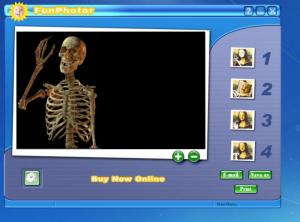
The program's interface is wizard based, guiding the user through the process of creating a personalized photo. First of all, the background image should be selected from the many images available in the program. Second, the face should be chosen. The user can add his own face or he can choose one of the faces provided by the application. After completing the third step, which involves customizing the face to blend in perfectly to the background, the final photo can be saved in one of the graphical formats supported by the program. Alternatively, it can be printed or sent through email.
Pros
It features a large library of funny backgrounds and faces and also allows the user to import his own photos. Furthermore, resulting images can be saved, printed or sent through email. Last but not least, the interface is wizard based and allows anyone to use it.

Cons
The interface seems a bit too simple. Fun Photor is a wonderful photo editing software that makes it possible to create some great and amusing images.

Fun Photor
6.1
Download
Fun Photor Awards

Fun Photor Editor’s Review Rating
Fun Photor has been reviewed by Jerome Johnston on 05 Mar 2012. Based on the user interface, features and complexity, Findmysoft has rated Fun Photor 4 out of 5 stars, naming it Excellent







